Eye vs AI: Harnessing Technology to Successfully Track User Attention
Attention is the new gold; brands are in a constant competition for our attention.A big portion of our time we spend online, where we are bombarded wi

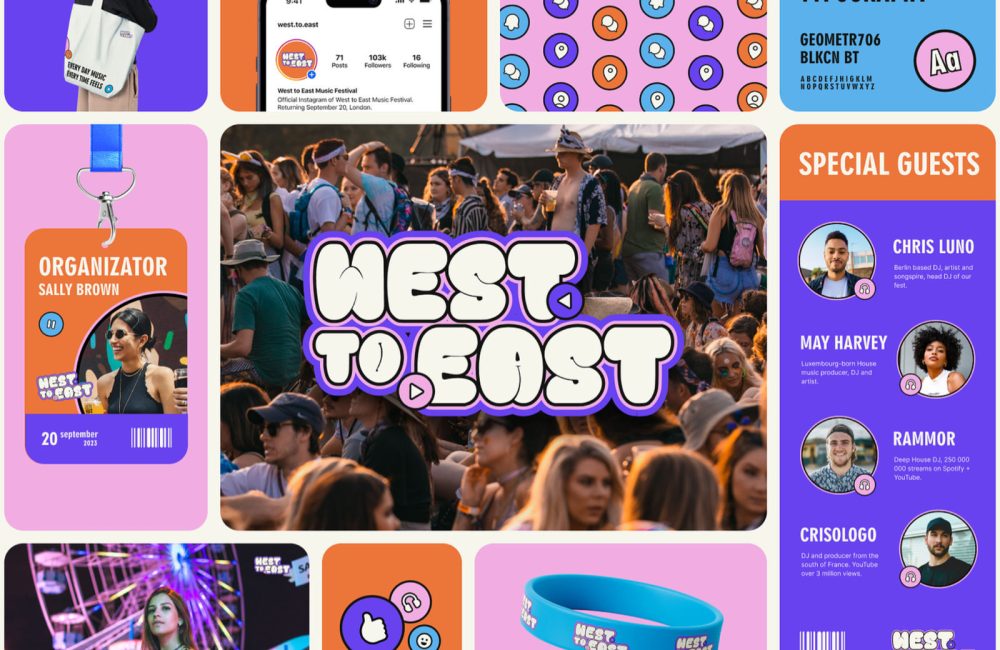
The Bento Box trend has been around for a while, but it’s only in the last year or two that it’s gained momentum, as designers have realized how delightful and user-friendly it can be.
As with a lot of design trends, the origin is disputed. Some say Bento UI took off thanks to Apple, which has adopted it for its UI elements. Other people point out that Microsoft’s Metro UI was effectively Bento UI. Wherever it came from, there’s no doubt it’s increasingly popular, and the more it’s used, the more it’s validated as a UI style.
Bento UI might sound complicated, but it’s actually a very straightforward way of structuring a design. It’s simple and efficient; consequently, it’s popular with both designers and users.
Bento UI is rooted in visual hierarchy and organization, which have been the cornerstones of UI design since the beginning. Where Bento UI distinguishes itself is that it works really well for small, rectangular layouts. In other words, Bento UI works brilliantly on mobile devices, and as a result, it is a gift to designers creating responsive layouts.
The Bento UI design trend delivers several key benefits for designers, developers, and users.
As with any visual trend, what looks modern and innovative today, must eventually look tired and dated — that is the nature of design trends. Indeed, many design experts argue that the Bento UI trend is already at peak popularity, and the only way is down.
However, we should remember that many of those same design experts called responsive design a trend, and it’s now considered best practice for web design.
Apple evolves its UI design very slowly. Bento UI is a core component of macOS, iOS, and the new visionOS, so we can expect it to be around and influencing design for a long time to come.
What’s more, core technologies on the web have evolved to make Bento UI easier to produce. Where once developers struggled to code the much simpler masonry-style UI layouts, CSS Grid means that Bento-style UIs can now be coded as simply as any other grid.
Bento works best when you break up your content into bite-sized chunks. Once you’ve done that, it’s easy to get started:
Bento UI is more than just another design trend; it’s an evolution of design. It’s an effective way to create a visually appealing and simple-to-use UX. Bento UI is no more complex to develop than any other layout thanks to CSS Grid, and it’s particularly suitable when designing for mobile.
Bento isn’t perfect for every project. It works best with simple hierarchies, so if your project doesn’t have a simple hierarchy, it may not be suitable for you — but if your project doesn’t have a simple hierarchy, perhaps you need to address that.
Bento UI looks and feels modern, and we can expect it to remain popular for some time. With new technologies like Vision Pro on the horizon, it may even evolve into something we can’t yet predict.
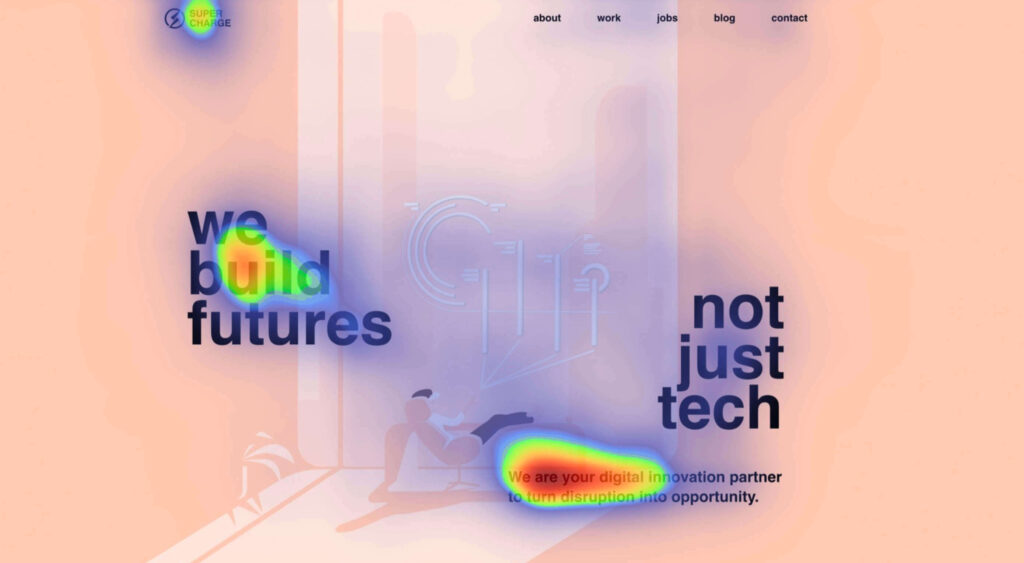
Attention is the new gold; brands are in a constant competition for our attention.A big portion of our time we spend online, where we are bombarded wi
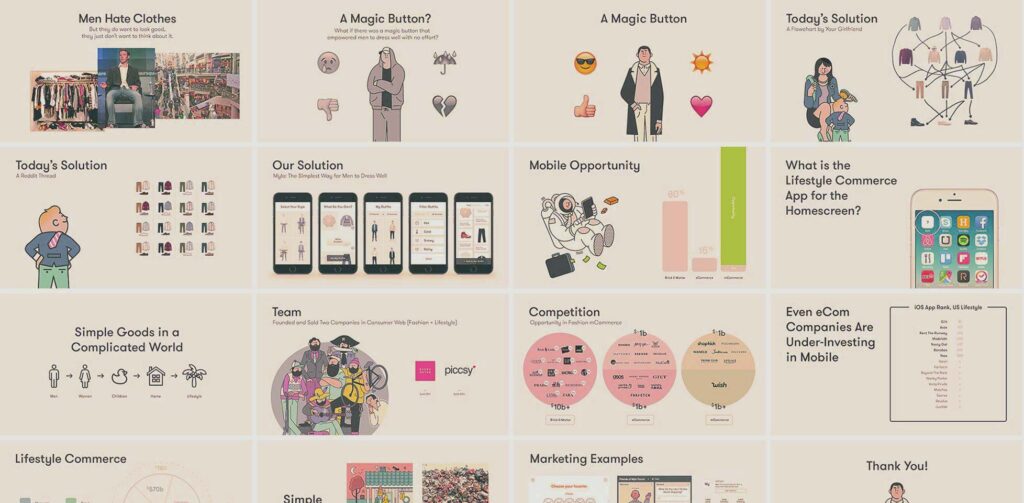
Successful startups are known for their disruptive approach, so it’s interesting to see how so many innovative companies are surprisingly conservative
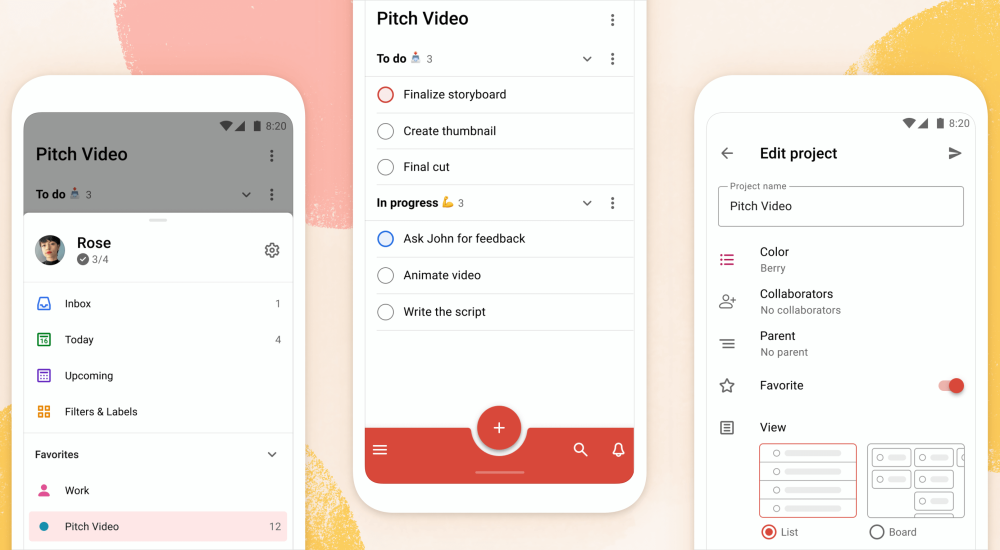
Todoist is a to-do list app that 25 million people rely on every day to keep their lives organized. As part of the Doist design team’s goals for 2021,

User interface design is a hot topic these days and for good reason. In a world where digital experiences are such a large part of our lives, the valu

Few things in this world strike terror into the hearts of men (and women) quite like performing in front of a live audience. Thankfully, our computers

To understand why user onboarding is such an indispensable tool, we need to empathize with the people using our products; we all come from different b
We are a dynamic information platform dedicated to delivering timely, relevant, and reliable content across a broad spectrum of topics. From the latest in technology and business to lifestyle, health, and global affairs, we aim to keep our readers informed and inspired.
Our editorial team is committed to maintaining high standards of accuracy and clarity, ensuring that every article provides value and context in an ever-changing world. We believe in the importance of accessible knowledge and strive to make complex topics understandable for everyone.
Whether you're here to stay updated on current events, explore thought-provoking features, or simply learn something new, our goal is to offer a trustworthy source of information that meets the needs of a diverse and curious audience.